
KeyTik Pro
KeyTik Pro version is available at Gumroad at $20 $15 (Big Update Discount) for lifetime purchase.
Pro version has additional features compared to the normal version while not overwhelming it. Think of Pro version as a way to support the developer or as a more user-friendly version of the normal version.
Limited Offer
Get it for $15 with 25% off — limited to the first 10 people. (2 people left) Use the button below to claim your discount.
Limited 25% Off for 10 customer.
Changelog
No changelog provided.
What You Get With the Pro Version
On KeyTik Pro, you will get every feature on the normal version (see Normal Version Features for more) plus additional features. Below are the additional features on KeyTik Pro:
Better Auto Clicker
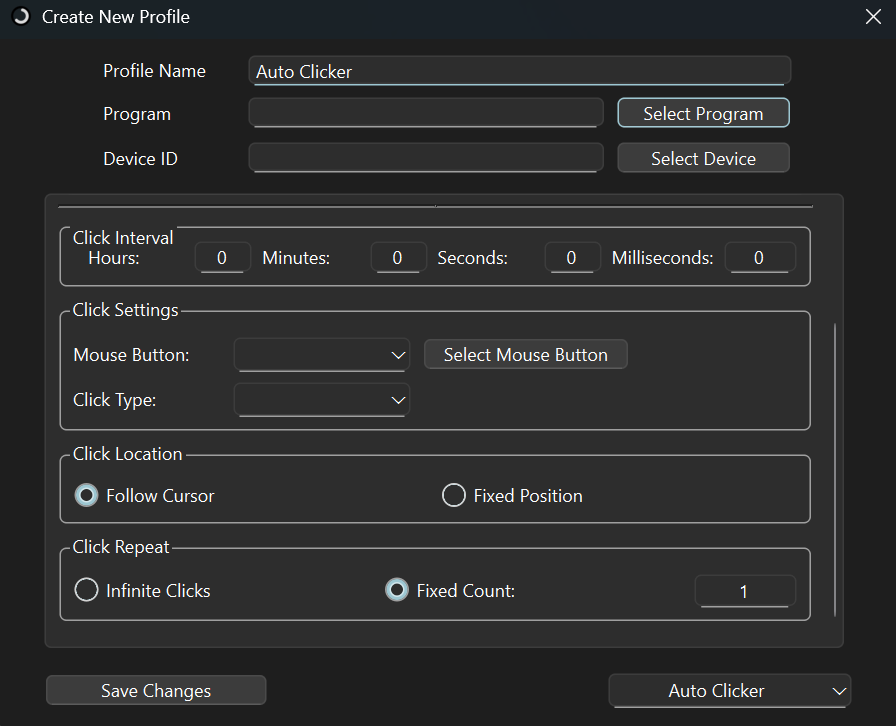
- Shortcuts: What key to press to activate auto clicker.
- Click Interval: Interval between each click.
- Key to press (Mouse Button): What key to press for auto clicker (not just left click or right click but more keys on the keyboard such as all alphabet, shift, ctrl and more)
- Click type: How will the key press behave. Single click, Double Click, Hold.
- Click Location: Where click will pressed. Follow cursor, clicking on cursor. Fixed position, position on screen.
- Click Repeat: How long does the click will pressed. Infinite clicks, stop until it deactivates by shortcuts. Fixed count, click as much as the count specified.
Better Files Opener
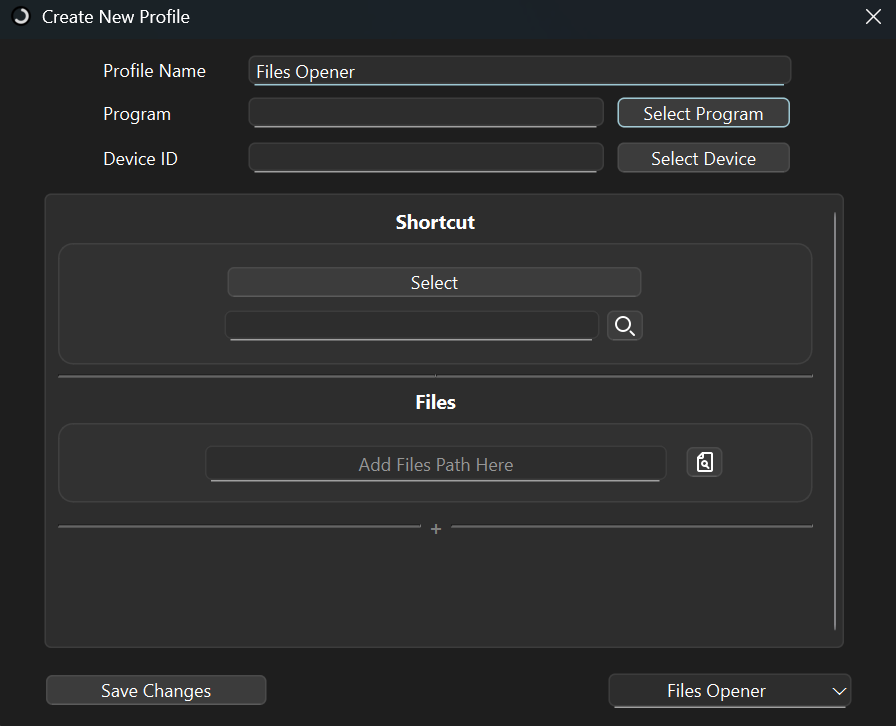
- Using shortcuts to open multiple files.
- You can specify what files to open yourself without limit.
Multi Copy Paste
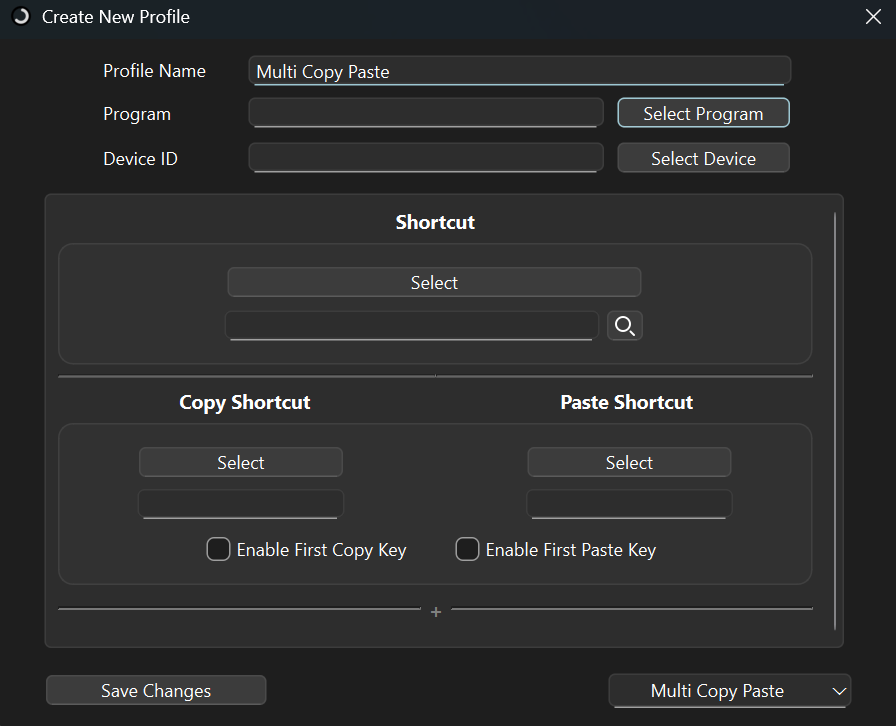
- Make multiple shortcuts for copy and paste.
- Each shortcuts have different room to save copied text.
- For example: First copy shortcuts copied "text1" and second copy shortcuts copied "text2". Pressing second paste shortcuts will paste "text2" and pressing first shortcuts will paste "text1".
Always on Top Manager
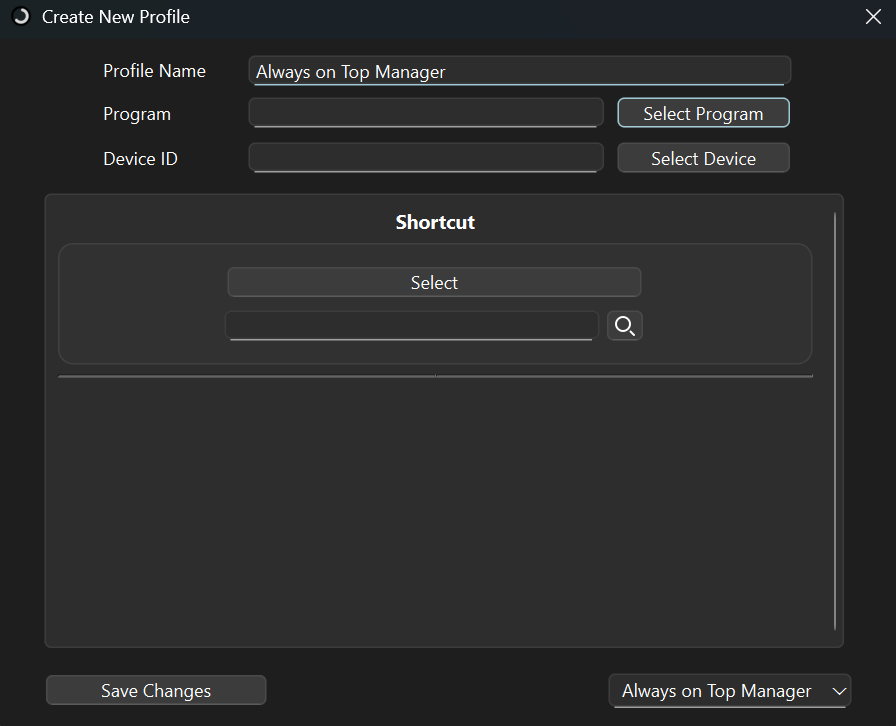
- Make the window where cursor is located always on top with a shortcut or click.
- Shortcuts or clicks can be changed by user.
Window Size Changer
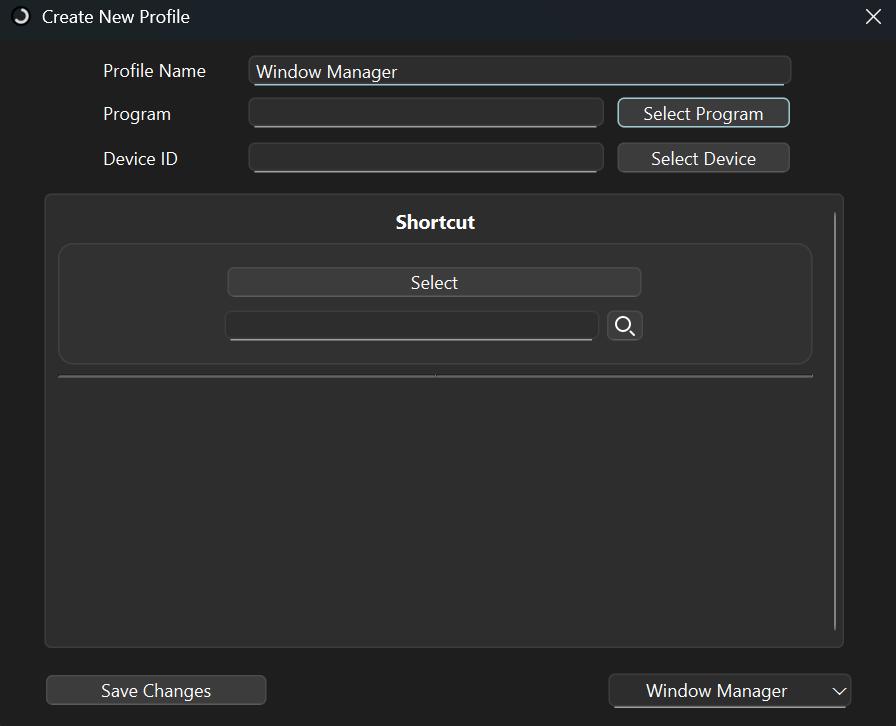
- Change window size with shortcut or click.
- How window will be changed: Full, horizontal half top, horizontal half bottom, vertical half left, vertical half right, quarter top left, quarter top right, quarter bottom left, quarter bottom right, original position.
- The window size will be changed alternately with each click.
- Shortcuts or clicks can be changed by user.
Features Plan for the Pro Version
- Additional UI for file openers. (Completed)
- Additional UI for auto clicker. (Completed)
- Additional UI for screen clicker. (On Progress)
- Full macro. Combining auto clicker, screen clicker, keyboard remap, and file opener in a single profile.
- Possibly AI integration.
- New automation tool, make specific program window always on top. (Completed)
- New automation tool, OCR translator. Much like snipping tool but it will translate the chosen screen.
- New automation tool, easy window always on top. Make window in the cursor to always on top with one click or shortcut. (Completed)
- New automation tool, window size changer. Change window size to full size, half screen vertical, half screen horizontal, quarter screen, with a single click or shortcut. (Completed)
- Macro recording. Record any input and simulate it.
- Upcoming KeyTik update will be implemented on KeyTik Pro first.
Note
- On Progress: Worked on.
- Completed: Implemented.
- No Description: Not implemented and yet worked on.